Watch Depth Segmentation: How Course Creators Identify Who Is Ready to Buy
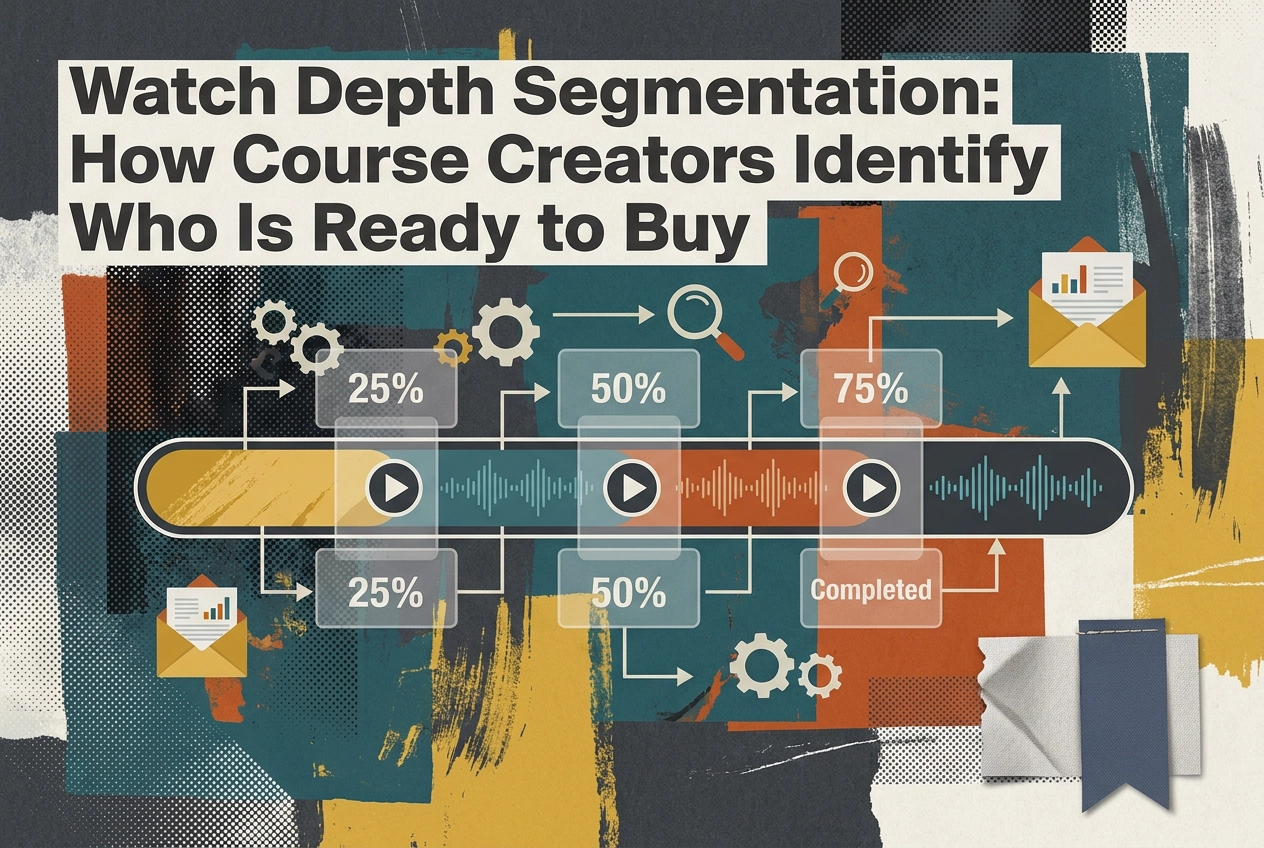
Most course creators running a video sales letter are leaving serious money on the table, and they don't even realize it. They set up a retargeting audience, blast the same ad to everyone who watched at least a few seconds, and wonder why their cost per acquisition keeps climbing. The problem isn't the offer or the ad creative. It's that they're treating a cold skeptic the same way they're treating someone who just watched 80% of their VSL and nearly pulled out their credit card.
Video engagement data tells a far more precise story than most marketers are using it to tell. Watch depth segmentation takes that data and turns it into something actionable: a way to divide your VSL audience into distinct groups based on how far they watched, then follow up with each group in a way that matches where they actually are in the buying decision.
In this guide, you'll learn what watch depth segmentation is, how to define meaningful thresholds inside your own funnel, and how to build email sequences and retargeting ad strategies that reflect the real psychology of each viewer segment.
Why Treating All Partial Viewers the Same Is Costing You

Most VSL funnels send every non-converter into the same retargeting pool and the same email sequence. That's the default, and it's costing you money.
The person who watched eight seconds and the person who watched eighteen minutes are not the same prospect. They don't share the same objections, awareness level, or proximity to buying. Treating them identically means running close-the-deal messaging at someone who barely registered your hook, and awareness-stage content at someone nearly ready to buy.
Someone who dropped off in the first 60 seconds didn't believe you were worth their time yet. Someone who dropped off right after your price reveal engaged with your argument, considered the offer, and stalled on a specific objection. Lumping both into one retargeting audience wastes budget on the wrong message and burns goodwill with viewers who were actually close.
Standard video analytics make this worse. Platforms built for content hosting surface average watch time as the headline metric. Average watch time obscures far more than it reveals, hiding the exact seconds where your sales script is winning or losing buyers.
Watch depth tells you precisely where each viewer stopped engaging, the leverage point average watch time hides.
Then there's the tracking layer. Ad blockers and iOS privacy settings can silently suppress a significant share of conversion data from browser pixels. If your segmentation is coarse and your data is already incomplete, your retargeting decisions are built on a fraction of what's actually happening in your funnel.
What Watch Depth Segmentation Actually Means
Watch depth segmentation groups your VSL audience by exactly how far each viewer travelled before they left or converted. It is not a viewed/not-viewed binary. It is a map of where in your sales argument each person stopped engaging.
That distinction matters because your VSL has a structure: hook, problem agitation, mechanism reveal, offer stack, price. Each beat sits at a specific timestamp, and viewers who exit at each one have different objections and different levels of buying intent.
The mechanism reveal deserves specific attention. It is the moment where you explain the unique method behind your course, the why this works section. Sceptical viewers are making a binary decision at that point: either the logic lands and they keep watching, or it does not and they leave. It is the sharpest psychological inflection point in most VSL scripts, and the threshold that most reliably separates casual viewers from genuine prospects.
Percentage-based thresholds (0-25%, 25-50%, 50-75%, 75-100%) give you a starting framework, but they are arbitrary. A 12-minute VSL and a 45-minute VSL both have a mechanism reveal; it just falls at different timestamps. Aligning thresholds to actual script beats gives you segments with real behavioural meaning.
Second-by-second video engagement data tied to revenue, including rewinds and pauses, sharpens that signal further. A viewer who rewound your price section twice is sending a different intent signal than one who dropped off immediately at the same point. Both appear at the same watch depth, but their behaviour tells a different story.
The Three Segments: Cold Observer, Engaged Prospect, Near-Buyer
Those thresholds give you three distinct audiences, each requiring a different response.
Cold Observer (under 25% watched): Your targeting put the right person in front of the video. Your hook did not keep them there. They know almost nothing about your method or offer, so a retargeting ad pushing a hard close will not land. They need awareness-level follow-up that re-establishes the problem before asking for anything.
Engaged Prospect (25% to 70% watched): This viewer made it through your problem framing and into at least part of the mechanism reveal. They invested real time but paused, usually from doubt: does this method work for my specific situation? Objection-handling content and social proof are your tools here, not urgency.
Near-Buyer (past 70%, especially past the price reveal): Your highest-leverage retargeting audience. They watched your full argument, considered the offer, and still did not buy. The gap to conversion is narrow; close it with urgency, a direct risk-reversal message, or a pointed response to the objection most buyers raise at that stage.
Watch depth percentages are a starting framework, not a finish line. Two Near-Buyers at the same watch depth can signal very different intent, refer back to how rewind clusters distinguish them.
Calibrate these thresholds to your script beats and test them against your own conversion data before treating them as fixed.
How to Set Watch Depth Thresholds That Match Your Script
Now that your segments are defined, you need to anchor them to real script moments rather than guessing at percentages.
Start by mapping your script to timestamps. Open your VSL and log the exact second where each structural beat lands: hook end, problem agitation peak, mechanism reveal start and end, offer introduction, price reveal. If you are unsure what a VSL script actually contains, that breakdown is worth reviewing before you set a single threshold.
Set thresholds at those beats, not round numbers. A 12-minute and a 45-minute VSL both hit the mechanism reveal at different timestamps, that is why a flat "25%" threshold is meaningless without a script map.
Use engagement heatmap data to pressure-test your assumptions. If you see a consistent drop-off cluster 30 seconds before where you think your mechanism reveal starts, your real inflection point is earlier. The data tells you where viewers are making decisions; your script notes tell you what they are reacting to. Cross-reference both.
Track rewinds as a separate intent signal. A cluster of rewinds around your price section or guarantee block means viewers are scrutinising the offer, not passively watching. That behaviour belongs in its own annotation alongside your threshold map.
Recalibrate after every script change or A/B test. Watch depth data from a previous script version does not transfer. Update your threshold map before drawing conclusions from the new data.
Building Email Sequences for Each Watch Depth Segment
Once your thresholds are mapped to script beats, put that segmentation to work in your email follow-up. Each segment needs a different sequence; mixing them up costs you sales and deliverability.
Cold Observers watched less than 25% of your VSL (adjust to your own script beats). Skip the replay link and skip the discount. Send a content email that addresses the core problem your course solves, makes it genuinely useful, and reframes why the full VSL is worth their time. The goal is curiosity, not a close.
Engaged Prospects dropped off after your mechanism reveal. Their likely objection is that the method won't work for them specifically. Address it directly using a "here's why this works even if..." structure. This is also where how your data can help you set the right VSL length matters; a bloated mid-section creates more drop-off and more objections to overcome in email.
Near-Buyers need a short, direct sequence: a replay link timestamped to the offer section, a FAQ-style email covering the top two or three checkout objections, and a deadline or bonus expiry reminder if one applies.
Behavioural segmentation applied to video engagement data gives you a sharper signal and a more relevant message at every stage than sending the same message to your entire list.
One hard rule: never send Near-Buyer urgency emails to Cold Observers. Pushing a hard close on someone who watched ten seconds drives unsubscribes and damages deliverability without recovering a single sale.
Retargeting Ad Strategy by Watch Depth: Spend Where It Counts
The same segmentation logic that drives your email sequences applies directly to paid retargeting. Build three separate custom audiences in your ad platform, one per segment. Audience accuracy improves when your VSL analytics tool exports watch depth events server-side rather than relying on browser pixels subject to ad blocker interference.
Cold Observers (adjust to your own script beats): Run short-form video or static image ads that restate the core problem your course solves. Keep frequency caps conservative and the CTA soft: bring them back to the VSL, nothing more.
Engaged Prospects: Surface a testimonial-style clip or brief mechanism explainer. Point the CTA back to the VSL with explicit framing that it is worth finishing, and cap frequency to avoid fatigue.
Near-Buyers: Run direct-response ads that address the single most common objection at your price point, lead with your guarantee or refund policy as risk reversal, and consider a replay ad that opens near the offer section. CPMs will be higher here; the ROI justifies it.
Concentrate spend on Near-Buyers and reduce it on Cold Observers. You are not distributing evenly across non-converters; you are weighting toward viewers whose behaviour already signals readiness. For a practical framework on acting on this data, see how to improve a VSL based on analytics.
Why Your Watch Depth Data Might Be Incomplete (And How to Fix It)

All of that retargeting strategy only works if your underlying data is sound. Before you allocate a penny based on segment sizes, check whether your tracking setup is actually capturing what it claims to.
Browser-Based Pixels Are the Weak Point
Ad blockers, iOS Intelligent Tracking Prevention, and privacy-focused browsers can suppress a significant share of conversion and engagement events before they reach your ad platform. Apple's App Tracking Transparency, introduced with iOS 14.5, fundamentally altered cross-app tracking by requiring apps to request permission before tracking users across apps and websites owned by other companies, and Facebook reported a $10 billion revenue hit for 2022 as a direct result. If your VSL analytics rely entirely on client-side tracking, every segment you've built is smaller than it should be, and every conversion rate you're reading is understated. Server-side tracking fixes this by routing engagement events directly from the server to Meta or Google, bypassing the browser entirely, so watch depth milestones, play events, and conversion signals arrive intact.
Why This Compounds
A Near-Buyer audience that is smaller than reality means you are under-bidding on your highest-value retargeting pool. The algorithm sees a thin audience and pulls back. You lose the segment most likely to convert not because the buyers aren't there, but because your data didn't capture them.
Mobile Adds Another Layer
Many mobile environments autoplay video on mute. A viewer reading captions on a silent phone is still consuming your script and shouldn't be excluded from your Engaged Prospect segment because no audio interaction was detected. Standard analytics miss this entirely.
When you audit your setup, confirm that play, pause, rewind, and watch depth milestones are all being sent server-side. If you're not sure where your setup stands, close the data gap before it becomes a client problem.
Putting Watch Depth Segmentation to Work in Your Funnel
Once your tracking is accurate, execution becomes straightforward. Work through these five steps in order.
1. Confirm you can pull script-beat-level data. Average watch time from a general video host tells you nothing actionable. You need second-by-second drop-off, rewind clusters, and pause points mapped to specific moments in your script. If your current setup cannot show you that, your segmentation will be guesswork.
2. Map script beats to timestamps, then wait. Use the script-beat timestamps you mapped earlier as your thresholds. Then let the VSL run to a sufficient play volume, commonly at least a few hundred plays, before acting. Below that, sample noise will make your thresholds unreliable. For context on what healthy engagement numbers look like at each stage, the VSL-native benchmarks you should actually track give you a practical reference point.
3. Build email sequences in order of leverage. Start with Near-Buyer, then Engaged Prospect, then Cold Observer. Your highest-ROI sequence goes live first; the lower-leverage segments follow.
4. Build retargeting audiences in parallel. Weight budget toward Near-Buyers from day one. Review segment conversion rates weekly for the first month, and adjust allocation based on what the data shows.
5. Treat your segments as a living system. Revisit thresholds after every script or offer change, the guidance in the thresholds section applies here too.
Stop Retargeting Your Whole Audience the Same Way
The system you've built across these steps is only as strong as the data feeding it. If you're routing engagement events through a browser pixel, ad blockers and iOS tracking prevention are quietly erasing a portion of your audience before you ever segment them.
Each segment, Cold Observer, Engaged Prospect, Near-Buyer, needs a different message; treating them identically is what this entire system exists to fix.
Both depend on accurate data: second-by-second analytics plus server-side event routing, as covered above.
VSLStats gives you engagement heatmaps to pinpoint drop-off and rewind clusters at the script level, server-side pixel forwarding to capture the events that browser-based tracking misses, and revenue attribution tied directly to watch depth so you can see which segment is actually generating purchases. Everything you need to build and act on these segments sits in one platform, with no need to stitch together separate tools.
Try any VSLStats plan for $1 and see exactly where your viewers are dropping off and which segment is closest to buying.
Conclusion
The data to treat your viewers differently is already inside your video analytics, watch depth segmentation is simply the system that surfaces it. Map your thresholds to real script beats, route events server-side so your segments reflect everyone who watched, and let each audience's behaviour dictate the follow-up they receive. Start with a $1 trial at VSLStats, find out exactly where your viewers are dropping off, and identify which segment is closest to buying.
Frequently asked questions
See what your VSL is really doing
Server-side pixels, AI captions, engagement heatmaps and revenue attribution - try any plan for $1.
Start your $1 trial