The Pre-Traffic Checklist Every Course Creator Should Run on Their VSL Funnel Before Spending on Ads
You just spent $3,000 on ads. Your VSL funnel is live. And you have no idea why nobody is converting.
This is the situation thousands of course creators find themselves in, and the painful truth is that most of those losses were completely preventable. Before you understand what is a VSL funnel capable of at full performance, you need to understand what a broken one costs you. That number typically lands somewhere between $2,000 and $5,000, burned through paid traffic while you diagnose problems that a 30-minute audit would have surfaced before you ever spent a dollar.
The difference between a funnel converting at 9% and one converting at nearly 17% often has nothing to do with your audience targeting or your offer. It comes down to configuration, tracking, and the eight specific checkpoints most creators skip entirely.
This checklist covers every pre-traffic validation step you need to run before sending paid traffic to your VSL funnel, from server-side tracking and mobile caption setup to revenue attribution and baseline metric recording. Run these checks first, and your ad spend goes toward scaling, not diagnosing.
Why You're Paying to Diagnose a Broken Funnel
Most course creators burn their first $2,000 to $5,000 in ad spend not validating an offer, but diagnosing a funnel that was never properly configured before traffic arrived. That diagnostic cost is almost always optional.
A funnel that jumped from a 9.30% to 16.83% booking rate in 24 hours didn't get there through better targeting or a higher budget. It got there through configuration fixes alone. The traffic was fine. The funnel wasn't.
Poor early conversion rates are more often a funnel problem than a traffic problem, and the two are easy to confuse when you're spending money to find out. Without a validated funnel, your ad data is noise. A weak click-through rate could mean a bad audience, a slow-loading page, a broken play gate, or an offer that doesn't resonate. You cannot tell which one without clean baseline data, and you won't have clean data until the funnel is working.
A 30-minute pre-traffic audit fixes this. Every dollar spent after a proper audit is learning spend. Every dollar spent before it is repair spend. Learning spend compounds; repair spend disappears.
Before you run paid traffic with a testing framework, the funnel has to be measurable. You cannot optimize what you haven't defined.
What a VSL Funnel Actually Consists Of (And What Can Break)
A video sales letter funnel is a conversion sequence where a hosted video does the selling before routing the viewer to a checkout, booking page, or opt-in form. The video replaces or supplements a long-form sales page. Everything depends on that video working correctly.
The funnel has five breakable layers:
The video player, delivery, autoplay behavior, and load speed
The tracking stack, pixel events, server-side forwarding, and data integrity
The page layout, mobile rendering, CTA placement, and load time
The post-play CTA, redirect logic and button functionality
The attribution chain, revenue tied back to a specific viewer and watch depth
Nearly 100% of VSL traffic arrives on mobile. A funnel that looks clean on desktop is frequently broken where it actually matters.
Legacy video hosts rely on browser-based pixels that iOS privacy settings and ad blockers routinely suppress, hiding up to 30% of conversion events. You can be running a profitable funnel and not know it, or a broken one and not see why.
The eight checks below map to each layer and tell you exactly what to validate before a single paid visitor arrives.
Check 1: Confirm Server-Side Tracking Is Firing
That 30% data loss isn't theoretical. It's the gap between what your browser pixel reports and what actually happened. If your Meta or Google tracking is browser-only, you're optimizing on a corrupted baseline before a single paid visitor arrives.
Browser pixels fire from the user's device. Ad blockers and iOS privacy settings suppress them, so up to 30% of conversion events never reach Meta or Google. The algorithm trains on incomplete data and your ROAS looks worse than it is. See the full breakdown of how this pixel undercounting affects VSL funnels.
Server-side pixel forwarding sends conversion events directly from the server to Meta and Google, bypassing the browser entirely, regardless of what the user's device blocks.
How to verify it's working: Open Meta Events Manager, trigger a test conversion, and check whether the event shows server-side receipt. A browser-only receipt means your server-side path isn't active.
The failure mode to watch for: Platform migrations break server-side configuration silently. The pixel appears to fire correctly in testing, but the server-side path is dead in production. This is the most common post-migration tracking failure.
VSLStats includes server-side pixel forwarding natively in the player, so no separate tag manager setup is required.
Check 2: Enable Captions for Muted Mobile Viewers
Tracking is only half the battle. Once your pixel fires cleanly, your next failure point is sitting right in front of you: the mobile viewer problem most VSL marketers ignore.
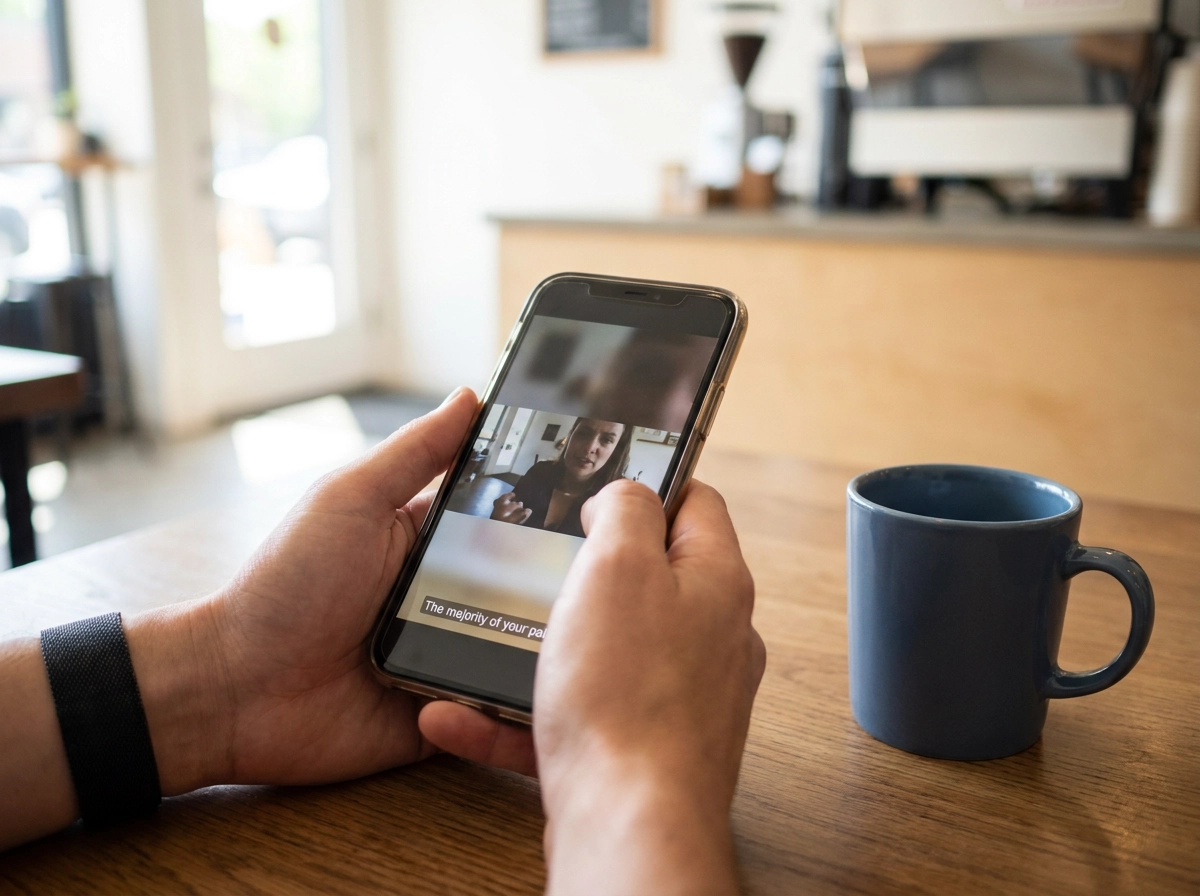
Mobile browsers autoplay video muted by default, and 75% of mobile viewers never unmute. That means the majority of your paid traffic lands on your VSL and hears nothing. They are still watching and making a buy decision, but doing it in silence. Without captions, you lose them in the first 10 to 15 seconds, before they decide whether your hook is worth unmuting.
Captions are a conversion asset. Treat them like one.
Before traffic, verify three things:
Captions are enabled and visible on autoplay, not hidden behind a toggle
Styling is legible on a 375px screen: high contrast, large enough to read without zooming
Sync is accurate, especially around your offer details and price. A caption error on your guarantee or price point erodes trust instantly.
VSLStats generates AI captions automatically and embeds them directly in the player. No SRT file uploads, no third-party workarounds.
Check 3: Verify the Play Gate Is Configured Correctly
A play gate on a video is a lead capture form that interrupts playback at a specific timestamp, requiring the viewer to submit their name and email before continuing. Used correctly, it builds your list from every qualified viewer who reaches that point.
Misconfiguration kills both watch time and opt-in rate at once. The three most common failure modes: the gate fires immediately on page load before the viewer is invested, the trigger timestamp is wrong so the gate interrupts before your hook lands, or the form submission silently fails and never writes to your CRM.
Before traffic, run through this sequence:
Trigger check: Play the video and confirm the gate fires at your intended timestamp, not before
Submission check: Submit a test entry and verify the contact appears in your email list or CRM within minutes
Routing check: Confirm the viewer lands in the correct post-submit flow, not a blank page or error
Then test the entire sequence on a real iPhone or Android device. Form field sizing and mobile keyboard behavior differ from desktop, and that friction alone can collapse your opt-in rate before you diagnose it as a funnel problem.
Every viewer who reaches your gate timestamp is a warm lead, whether they buy or not.
Check 4: Isolate Your Split Test Variables Before Traffic Arrives
With your play gate configured, turn your attention to your test structure before a single paid visitor arrives.
Running traffic to a funnel with multiple simultaneous changes is one of the most expensive mistakes you can make. If your video, headline, and CTA button are all different from last week, you cannot attribute a conversion lift to any one of them. Your split test data is worthless.
Pick one variable to test first: a hook rewrite, a shorter video cut, different offer framing, CTA button copy, or your booking page headline. One variable, full stop.
Then confirm the mechanics are clean. Traffic should split evenly between variants, and the event being tracked must be the right one. A funnel conversion rate improvement means nothing if you are measuring page views instead of bookings or purchases.
The most common error: running a video A/B test while simultaneously launching a new ad audience. Two variables, zero conclusions.
VSLStats has A/B split testing built directly into the player. Test different video versions against the same page and the same audience without touching your page builder or ad account. See exactly how to structure it in the Creating a Split Test guide before traffic starts.
Check 5: Wire Revenue Attribution to the Player
Knowing your funnel conversion rate tells you something. Knowing which video, which watch depth, and which viewer segment produced that revenue tells you what to scale.
Revenue attribution wired to the player means every purchase or booking is tagged back to the specific video that drove it, including how far the buyer watched before converting. That's the difference between a play count and actionable data.
Before traffic, verify your payment processor or booking tool is passing purchase value back to the player. You want to see revenue per viewer, not just views. If that connection isn't in place before your first dollar of ad spend, you'll have no way to answer the only question that matters: is your close section converting, or are buyers dropping off before they ever hear the price?
Without it, every script change is a guess.
VSLStats connects revenue attribution directly to the player, showing exactly which watch depth correlates with buyers versus non-buyers. That's script-level intelligence, not surface metrics.
Check 6: Record Your Engagement Baseline Before You Optimize
Revenue attribution tells you who bought. Engagement data tells you why they almost didn't.
The most expensive habit in VSL marketing is optimizing before you have a baseline. You feel like the hook is weak, so you rewrite it. Then the offer slide seems confusing, so you change that too. Two weeks later you have no idea what moved the needle.
Before pushing significant paid traffic, run a seed batch of 50 to 100 visitors and record three numbers: second-by-second drop-off, rewatch rate, and hook retention at 30 seconds.
That 30-second retention number is your first hard checkpoint. If fewer than 50% of viewers are still watching at 30 seconds, you have a hook problem, not a traffic problem. More ad spend doesn't fix it; it makes the loss faster.
Engagement heatmaps give you frame-level visibility to stop guessing. You can see exactly where viewers drop off, where they rewind, and where attention collapses before your CTA. Without that data, every page change is a coin flip. For a practical walkthrough, see How to Improve a VSL Based on Analytics.
VSLStats generates second-by-second engagement heatmaps automatically, so instead of a vague watch-time average, you get the exact timestamp where your VSL loses buyers, pointing to a script-level fix rather than another page redesign.
Check 7: Validate the Full Funnel on a Real Mobile Device
Once your engagement baseline is locked, there's one more check you can't skip: nearly 100% of paid VSL traffic lands on mobile. Validating only on desktop means you've validated the wrong thing entirely.
Pull out a real iPhone or Android device and run through this:
Video player loads and autoplays on mute within 3 seconds
Captions are visible and legible on a 390px screen
Play gate form fields are easy to tap and type in without the keyboard blocking the submit button
CTA button is above the fold without scrolling
Post-play redirect fires without requiring a manual scroll or tap to trigger
That 3-second load threshold matters. A slow-loading funnel page on a mobile network loses viewers before the VSL even starts playing. No amount of script optimization fixes that.
Don't use a browser emulator for this test. Emulators don't accurately replicate iOS autoplay behavior, Safari's mute defaults, or how the keyboard interacts with form fields. Real devices only.
Finally, run the entire funnel as a buyer: land on the page, watch the video, hit the play gate, click the CTA, and confirm the booking or checkout completes without errors.
Check 8: Define Your Baseline Metrics and Acceptable Ranges

Your funnel is technically validated. Now define what winning looks like before traffic arrives.
Track four numbers from day one: opt-in rate, booking rate, show rate, and cost per booked call. Without these written down in advance, every performance dip triggers guesswork instead of diagnosis.
Reference ranges for a well-targeted cold audience: opt-in rates of 25–40%, booking rates of 10–20% from opted-in leads, and hook retention above 50% at the 30-second mark. These aren't guarantees; they're your signal thresholds. A number below range tells you whether you're looking at a traffic problem, a funnel problem, or a script problem.
Revenue per viewer is the metric that drives everything else. Once you can calculate it, you know exactly what you can afford to pay per click. Without it, your bidding strategy is a guess.
Set your dashboard to report in real time, not weekly exports. A 48-hour lag between a conversion drop and your awareness of it costs money. Slow data means slow decisions, and slow decisions compound fast when you're running paid traffic.
How to Run This Audit in 30 Minutes
Now that your baselines are documented, you're ready to sequence everything into a single pass.
Minutes 0–5: Open Meta Events Manager and trigger a test conversion. Confirm the event shows server-side receipt, not browser-only. Flag any browser-only events and fix them before you proceed.
Minutes 5–10: Play your VSL on a real iPhone with sound off. Confirm captions appear, are legible on a small screen, and sync accurately. Verify the play gate fires at the right timestamp and the form actually submits to your CRM.
Minutes 10–15: Check your split test. One variable active, traffic routing evenly, and the conversion event being tracked is a booking or purchase, not a page view.
Minutes 15–20: Trigger a test purchase and confirm the player logs it with watch-depth data. Verify your checkout or booking tool is passing purchase value back to the player.
Minutes 20–25: Walk the entire funnel as a buyer on mobile. Time the page load; anything over 3 seconds is friction. Hit the CTA, complete the booking, and screenshot every rough edge.
Minutes 25–30: Open your tracking dashboard and write down your starting numbers: opt-in rate target, hook retention at 30 seconds, and revenue per viewer benchmark. These are your reference point before the first paid visitor arrives.
Run the Audit Before You Run the Ads
That 30-minute audit is done. Now you have a decision: run the ads, or skip the checklist and pay to find out what you missed.
The $2,000–$5,000 diagnostic tax is not inevitable. It only hits funnels that go live unvalidated. Every item on this checklist takes minutes to confirm but can save weeks of troubleshooting and thousands in misread data.
An audited funnel gives you clean data from the first dollar. Clean data is what separates course creators who scale confidently from those who keep tweaking offers that were never the problem.
If you want all eight checkpoints covered inside a single player built specifically for VSL funnels, VSLStats bundles server-side tracking, AI captions, play gates, A/B split testing, engagement heatmaps, and revenue attribution together. No stitching together separate tools. No browser-pixel gaps. Plans start at $47/month, and you can try any plan for $1 at VSLStats pricing.
Run the checklist. Then run the ads.
Conclusion
Every dollar you spend on ads before auditing your funnel is a dollar spent on guesswork. This checklist exists to eliminate that guesswork before it costs you.
Here is what you now know: broken tracking lies to you, uncaptioned video loses mobile viewers silently, unvalidated funnels produce data you cannot trust, and skipping a baseline means you have nothing to measure progress against.
Eight checks. Thirty minutes. That is the entire gap between a funnel that scales and one that slowly drains your budget while pointing blame at your offer.
Before you launch your next campaign, run the audit. Confirm every checkpoint is green. Then spend with confidence, knowing your data is clean from the very first click.
The course creators who scale are not luckier. They are more prepared. Now you are too.
Frequently asked questions
See what your VSL is really doing
Server-side pixels, AI captions, engagement heatmaps and revenue attribution - try any plan for $1.
Start your $1 trial